Character & Panel Generator
A local MCP server that maintains character consistency in your webcomic. Create your character concept sheet, either by feeding your AI assistant your own references and drawings first, or through prompting. Then generate your panels via a storyboarding workflow.

How this all began
Personally, I draw as well as write. I am aware that my art is awful, but I do take pride in creating my own work without using AI. However, when discussing story concepts and swapping ideas with my good friend, Avery Krushall, I suddenly had an epiphany.
Not all writers can draw, or have the time to pick up drawing skills and practice the craft. But there are many writers who would love to see their story come to life as webcomics, much like the mass-produced manhuas from Tencent's Studio (funnily enough, they're often derided as slop). So I was thinking... what if I help these writers fulfil their dreams by providing an MCP server or platform that can help adapt their beloved stories into actual webcomics? Avery, for example, had generated a ton of character concept sheets with ChatGPT, and they looked amazing, but he wasn't able to turn them into a proper webcomic yet. What if I help him with that?
I knew it was possible. Tencent, Kuaikan and other big Chinese studios have been producing mass AI manhuas (the notorious Daxia Swordsman being one of them), and for all of the accusations of slop, they were able to produce consistent characters and coherent narratives from a stable set of assets. So why couldn't I do the same?
Thus, this Character & Panel Generator MCP server was born.
Character consistency
Prior to this project, I did some research, and I discovered that character consistency was one of the main stumbling blocks to drawing a webcomic using AI. Midjourney appears to be great at this, but it is an additional subscription on top of whatever AI client the users are already using, and it's very specialized.
Given that I'm already building MCP servers, I thought, why not build another MCP server and expand my webcomic ecosystem, to make it usable for writers as well? Cater not just to artists, but to webnovel authors who dream of seeing their work take the stage in webcomic form.
One of the priorities was to ensure character consistency, because if they show up wearing different clothes or sporting a different appearance in the next panel, it'll cause a continuity error. Or worse, they'll show as a different character entirely.

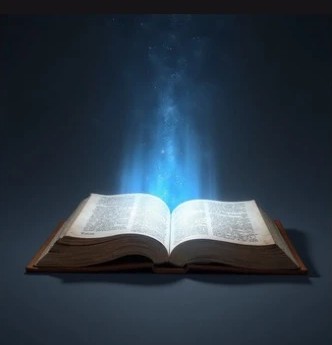
Your very own webcomic assistant
My MCP server works by wrapping a local ComfyUI + FLUX pipeline, runs entirely on your own machine, and is the character-domain sibling of the Webcomic Background Generator's World Builder.
You begin by first registering whatever reference art you already have — commissioned, AI-generated, or one good drawing — into a Character Bible. Or you can generate the Character Bible from text description, iterating until your AI client generates a character you're satisfied with, which you can then register. From there, the server generates new poses, e.g. back views, 3/4 views, and closeup expressions, and compiles them into finalized character concept sheets.
Character concepts
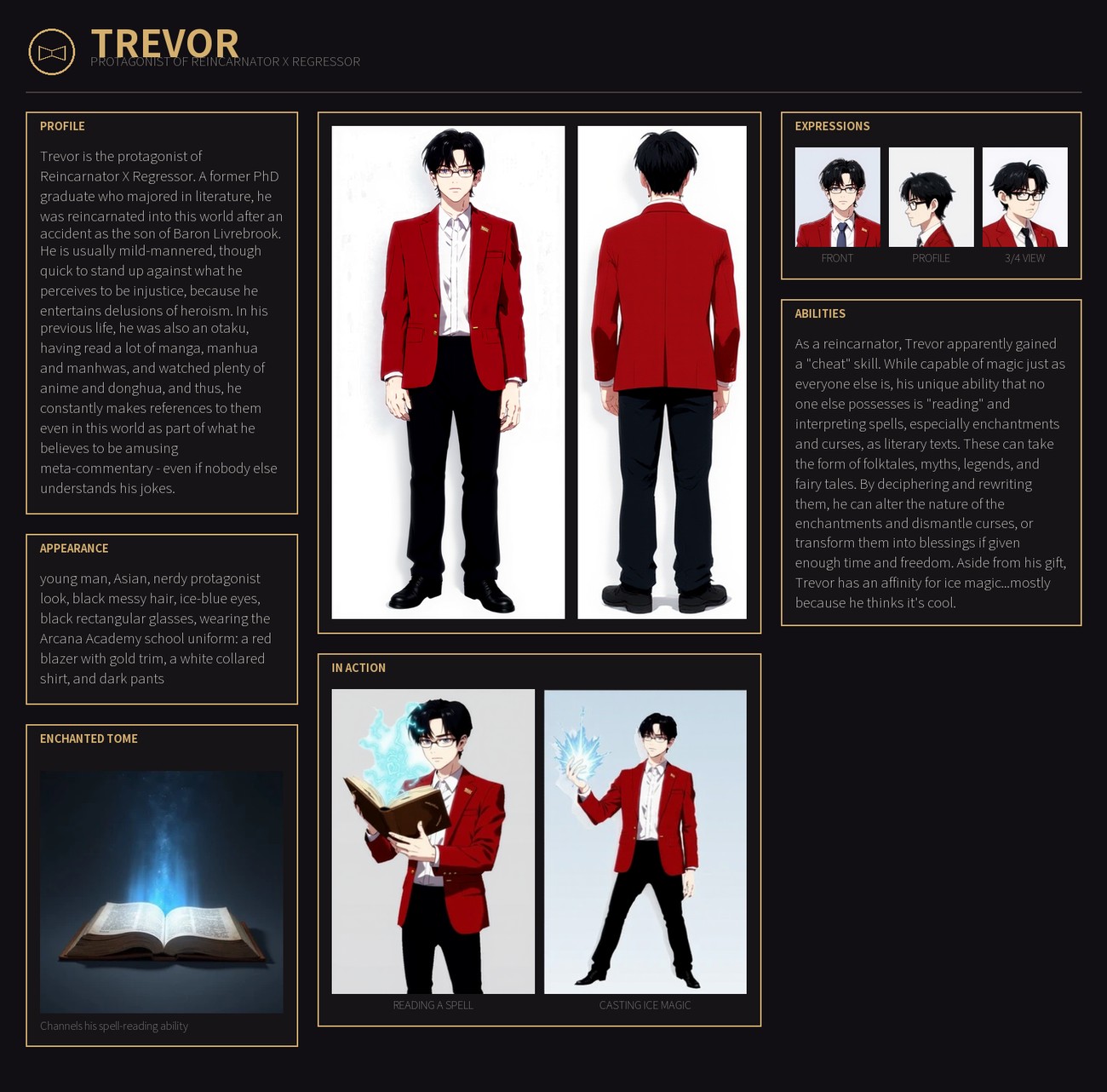
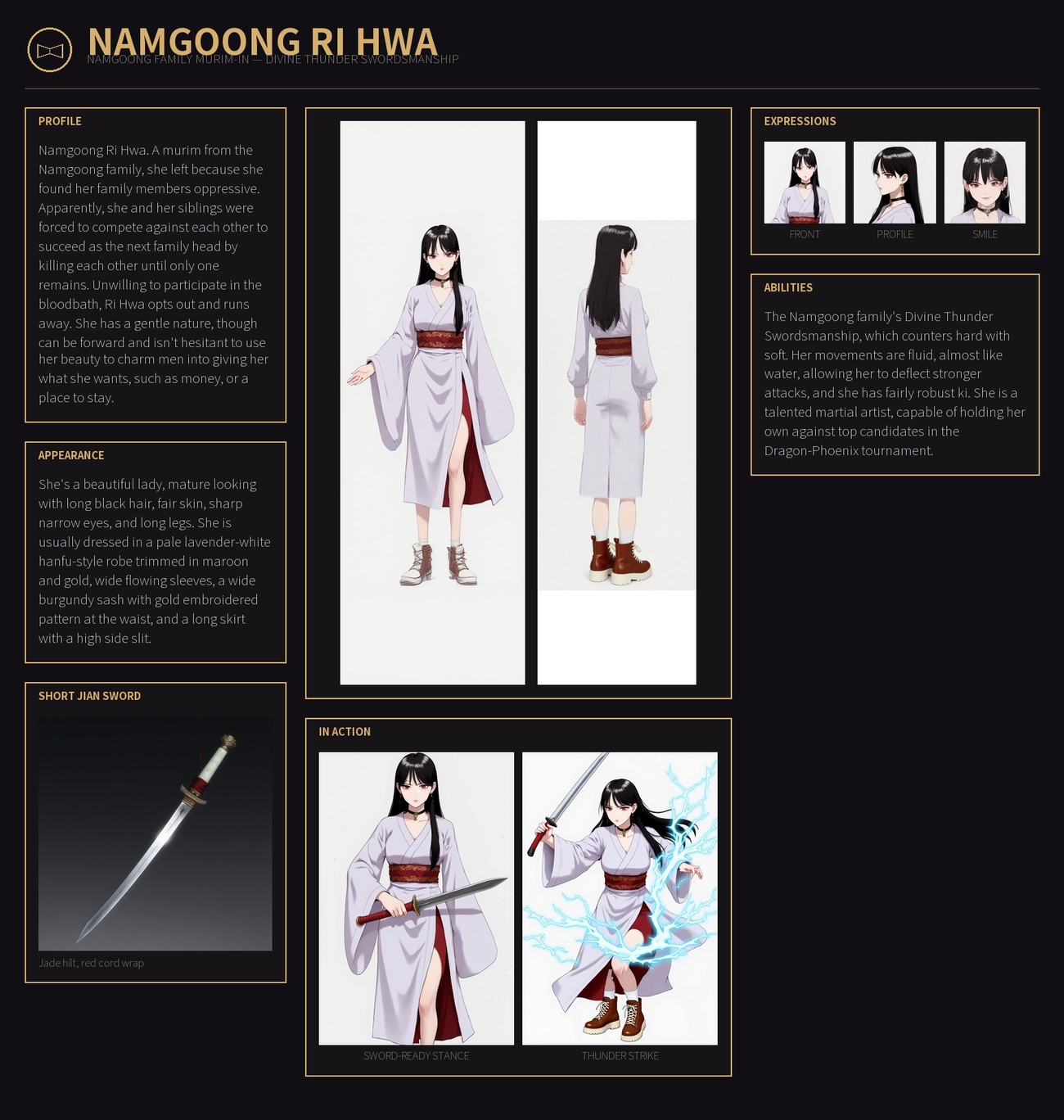
Each character gets their reference sheet — front, back, expressions, props, an action pose — and that sheet becomes the source of truth for every webcomic panel that will be generated henceforth.
Trevor was generated based on my own illustrations (refer to my Reincarnator x Regressor page), while Namgoong Ri Hwa was generated purely from text (a written description). The profiles, appearance and abilities were all manually written by me. I would suggest you write these yourself, not have the AI generate everything for you... because they are your characters.
An upgrade
On October 15th 2026, Black Forest Labs announced the release of FLUX 3 Klein. When I read the news, I knew I had to immediately upgrade from FLUX.1 to FLUX 3 Klein. And with that, the MCP server was updated to v2.0.0.
There are a few benefits to using FLUX 3 Klein. Artwork aside, as that's down to personal preference, Klein is much faster and requires lower VRAM to run. Instead of waiting 4–8 minutes for each asset generation, it now takes about 60 seconds, saving me a lot of time. Klein is also less prone to mistakes, though the hands are still a handful to fix. Ugh. Fortunately, for fixing and editing stuff, Klein is superior, so it's worth the upgrade.
Jeon Jung Seong


Namgoong Ri Hwa


Ouyang Hong Ryeon


Bukgoong Ye Seol


Expressing consistency
Klein is also much better at maintaining consistency. Previously, when using FLUX.1, Kontext and LoRA, the generator continually made mistakes, hallucinating and producing different characters for no reason. FLUX 3 Klein is more consistent, able to maintain the same characters and change the expressions, poses, movements and even create better CGs. Truly an improvement over the first.
Namgoong Ri Hwa



Tang Ho Min



Yu Ho Yeon



How it works
The Character Bible
A per-project registry holding each character's description, an ordered list of reference images, and provenance — which approved sheet each reference was cropped from. Projects namespace characters per comic, so a crossover can pull from two of them without either one's canon leaking into the other.
Identity comes from art, not from a prompt
FLUX 3 Klein takes the character's registered art as a reference image, so a new pose is
generated from the existing art rather than from a description of it. The registered art is
the ground truth, and the only identity mechanism: no tiers, no fallbacks. Under FLUX.1 that
mechanism had a hard limit — one reference per generation — so multi-character
panels had to be rendered as solo figures and composited, because two references in one image
produced attribute bleed. Klein lifts it: generate_scene renders several characters
in one image, and in testing both identities held through a pose change with no bleed on three
seeds out of three.
The trade-off that went away
Under FLUX.1, conditioning on art and controlling the pose were mutually exclusive.
edit_character_image kept the likeness but inherited the reference's framing, while
generate_character_pose pinned structure through ControlNet with no identity input, so
the face drifted. On Klein the pose tool passes the character's reference too, so a new pose keeps
the likeness. One catch was measured along the way: ask for the same pose as the reference
and Klein copies it, flaws included — so references are padded first.
Genuine back views
Reference sheets are almost always frontal, and prompting for a back view doesn't work — nothing in
the conditioning unambiguously says this is the back, so results relax toward front or
profile. Around twelve tuning configurations confirmed that the hard way. The fix used to be a
turnaround-sheet LoRA running on Kontext. On Klein, generate_turnaround_sheet renders
front, three-quarter, profile and back in a single image, each placed by its own layout box and
cut apart exactly along it, in about 86 seconds.
An expression is a whole body
generate_expression renders a new expression as its own full figure, matted, rather
than pasting a new face onto the old body. Posture follows mood, and a pose that shifts with the
face makes the change easier to read; pasted faces also lost the hair strands that crossed them.
It renders on a different seed from the base figure on purpose — reusing the base's own seed froze
the posture, which read as static.
Validation as a gate, not a suggestion
A checker exits non-zero if a reference is missing, if an unregistered image is lurking in a character folder, or if the primary reference can't be traced back to an approved sheet. That check exists for a reason: a silently wrong reference once propagated a character's wrong hair colour through thirteen panels before anyone noticed.
Compositing is separate from generation
Cutout, placement, panel assembly and strip layout are deterministic CPU operations — instant to iterate, no GPU, no tokens. Only generation is expensive. "Move her two hundred pixels left" should never cost a re-render, and here it doesn't.
The photorealism bug was one sentence in the prompt
FLUX kept returning photorealistic people despite a manhwa style LoRA at full strength. The cause wasn't the model or the LoRA — it was one inherited prompt fragment reading as photography: "studio backdrop, simple even lighting, clean sharp edges." Replacing it with wording that names only the medium, on a fixed seed, took the same generation from 857 distinct colours to 382 — flat colour quantises hard, which is the cel-shading signature — and from photoreal to clean cel-shaded manhwa. The sibling background server measured the same failure from the other direction: mood words like "dim lighting" and "cinematic" dragged its plates into semi-realistic murk.
Half this server's code was deleted on purpose
This started out built around a three-tier identity ladder — img2img, then IP-Adapter, then baking a LoRA per character — all of it existing to make one tool hold a likeness. Then Kontext arrived, conditioned on a reference image directly, and made the whole edifice redundant. The 3D pose machinery went for a sharper reason: it fed a tool with no image identity input, so once IP-Adapter was gone, a structurally perfect back view was a correct pose of nobody in particular — useless as a reference for a specific character. The migration removed 2,735 lines and took the server from 22 tools to 17. The ones that survived are the ones that earned it. It happened again in v2.0.0: FLUX 3 Klein made the rest of the FLUX.1 machinery — the LoRAs, ControlNet, the hand detail pass, img2img — redundant, and it was removed rather than kept as a fallback.
An actual webcomic
As you can see, I succeeded in creating a short webcomic strip. The fifteen final panels were combined into a single vertical strip, in the same format a webtoon reader usually scrolls through.
This is also the first real test of creating a proper comic reader on this site.
Read →Nineteen tools
| Bible |
register_character, get_character, list_characters,
forget_character, list_projects
|
| Concept genesis |
generate_character_concept, crop_reference,
generate_reference_sheet, generate_turnaround_sheet,
compose_reference_sheet, compose_full_reference_sheet — for getting
a character into the bible from nothing, from a composite sheet, or from a single drawing
|
| Posing |
generate_character_pose, generate_scene, generate_expression
|
| Finishing |
edit_character_image, apply_gradient_background,
apply_vfx_overlay, compose_panel
|
| Health | check_status |
Under the hood: Python, FastMCP over stdio. A local ComfyUI driving FLUX 3 Klein in INT8 on a 6 GB laptop GPU, taking the character's art directly as reference images — no LoRAs, no ControlNet. Mattes are cut with BiRefNet. Compositing — cutout, placement, panel assembly, vertical-strip layout — is deterministic CPU work: no GPU, instant to iterate. About 18 seconds from text alone, 38–78 with references, and 86 for a four-view turnaround sheet.
What I learned
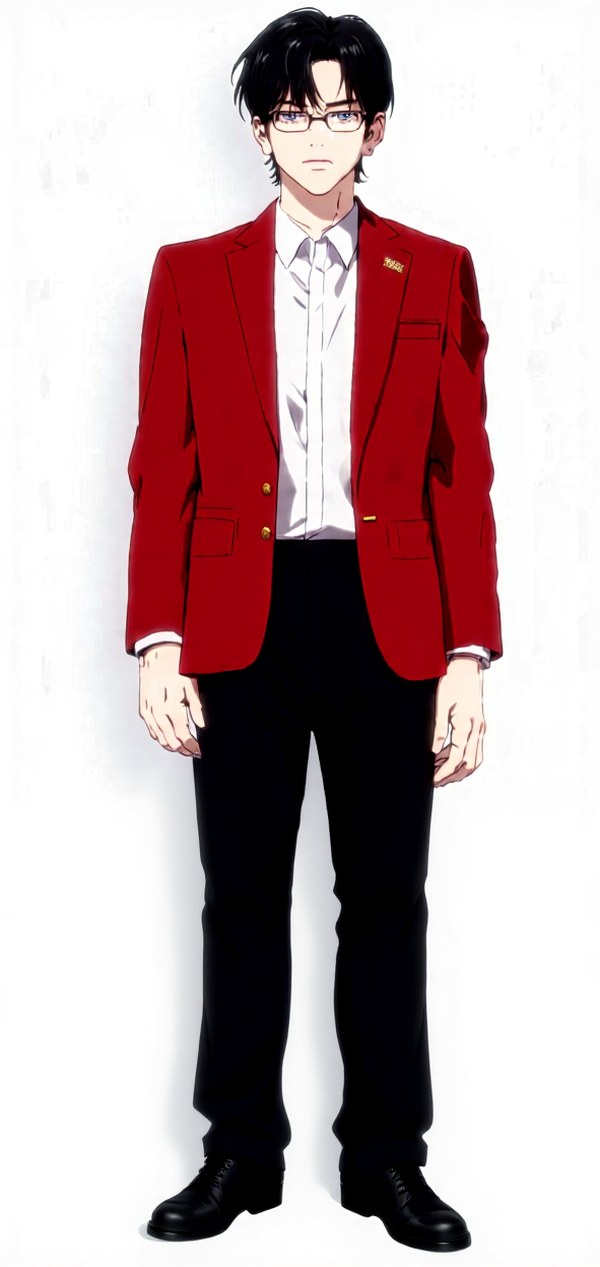
Though I set out to create a webcomic creation pipeline for writers, I realize that in the end, you still cannot rely completely on AI to create a webcomic for you. As I built the MCP server, going through countless iterations and wasted seeds, I realized it was far more efficient in certain cases to just manually edit the images myself, whether it's removing extra fingers, rotating figures, coloring shadows, flipping the characters horizontally and then manually exchanging the positions of buttons and pins (because the poor guy would be mirrored and they'll be on the wrong side). Saves a lot of time too.
So yes, you still need a human hand in this. You can't simply hand your webnovel to the AI and expect a perfect webcomic out of the gate. Make sure to check, and manually clean up wherever necessary. You don't need to be an artist. All you need is an eraser, or digital paintbrush to get rid of splotches or fill in missing gaps.


Why shouldn't I just use Midjourney or any comic-dedicated AI image generator instead?
You absolutely can, and to be fair, Midjourney is genuinely good at character consistency. But it's a premium subscription on top of whatever AI client you're already paying for, and it's very specialized — dedicated to generating images. Most people subscribe to ChatGPT, Claude or Gemini because they provide far more than image generation (in fact, Claude doesn't natively come with image generation). They use AI agents for everyday work and life, such as writing emails, preparing resumes, obtaining answers, research, planning an itinerary, creating documents, organization, preparing a presentation and more. Midjourney does not provide all of that, and if you want a proper webcomic with character consistency, you'll often find that you'll require the more expensive tiers of subscriptions.
Furthermore, my MCP server doesn't just help you with generating images. It's supposed to help you organize them into panels in sequence, and work with you on storyboarding. Don't get me wrong. Midjourney can certainly help you with storyboarding and organizing panels, but my MCP server is for those who already have AI subscriptions, and would rather do all their work within that AI client instead of needing to spread everything over several AI harnesses.
So what does an MCP server give you that a generator doesn't?
- Midjourney is mostly a text-to-image generator, but my MCP server allows you to make use of your own art. Whether it is your own hand-drawn characters, a commissioned illustration you paid for, or a sketch, you can input them into my MCP server and maintain character consistency without losing your vision, as opposed to losing part of it when translating it from pure text. Of course, if you are not an artist or you don't have any commissioned art, you still have the option to generate your own character and character concept sheet from text.
- Midjourney and AI image generators usually start from scratch every session, or you risk ballooning your context window if you try to keep everything within the same chat. This is where an MCP server shines. One of the tools we have is the Character Bible, which lives locally on your disk and stores all the relevant character information, including character concept reference sheets, so you can compact, start a new session or switch your AI client without losing any of that vital information.
- My MCP server also provides you the tools, allowing you to handle cutouts, placements, panel assembly, and vertical-strip layout via CPU operations instead of generating everything by GPU. It's fast, and it costs you no GPU time and no per-image fees — though to be precise, it isn't literally free, because calling any tool from your AI client spends tokens the same way any other request does. If you want it genuinely free, those compositing scripts can also be run straight from the command line, with no AI harness involved at all.
- You don't have to switch contexts or between software and programs. You can do everything inside your AI harness (Claude Code, Codex, Antigravity) without typing prompts into a separate tab. You also don't need to open a new browser tab (though Claude Code will automatically open ComfyUI for you, but you can ignore it). You also don't have to download or re-import files, and output will be automatically placed in the correct folder.
- You don't have to pay an extra subscription for generating images (e.g. a Midjourney subscription), and the number of images you create are limited only by your subscription (basically, token usage as opposed to a rigidly set restriction on the number of images you can produce a day). They are not restricted by credits or API costs. Instead, they run on your own GPU, and you can iterate as much as your AI subscription plan allows you to.
- It's part of a larger webcomic ecosystem. You can generate characters and panels here, create backgrounds in the Background Generator, produce an advertising video in the Anime Production Skill, and translate your webnovel into Japanese in the Novel Translation server. You can install each of them independently for your individual purposes, but you can also install everything in one shot. They're designed to work together. That's why I use FLUX for both background generator and character and panel generator, to ensure a seamless integration. In future, I will continue adding more MCP servers and agents/skills, to expand the ecosystem. I already have the speech bubble MCP server in my roadmap.
- I will continue to develop and upgrade the MCP server. Just like how I upgraded background generator from SD1.5 to FLUX because of what occurred during my creation of the character and panel generator, I will continue to apply whatever new lessons I learn to existing MCP servers and keep improving them. This is not a final product, and I hope it will only get better from here. If I discover a more efficient workflow (Python script), or that a new tool is required, or a new LoRA, I'll implement them. Again, I have a coloring tool in the roadmap.
Do remember that this character and panel MCP server is not a replacement for human work. You will need to handle storyboarding, direction, narration, and polish. The images produced are not perfect, and often you'll find yourself erasing stray fingers, fixing mirrored buttons, painting over random splotches, rotating planes for a background, or adjusting character poses. Ideally, you can get a human artist to help you with that, or you can do the simple polish manually with Paint, Clip Studio Paint, or other image editors.
What this helps you the most is reducing the tedious processes. The character concept reference sheet generation is supposed to simultaneously help you avoid drawing the same character multiple times from different angles and provide you a good reference from which you can manually base your own characters and drawings on. I also envision this to eventually become a correction tool for human artists — inputting your own sketches and drawings into this MCP server and correcting any anatomical mistakes. As a related note, the coloring tool I plan to add should help you color if you're short on time, which fits my objective for creating this for both artists and authors alike, for a more efficient workflow.
Get the code
Third personal MCP server, same origin pattern as the others: built to fix a real problem I hit doing my own work, not a speculative feature. It lives in webcomic-toolkit alongside the Webcomic Background Generator, the Novel Translation server and the Anime Production Skill.
Each installs independently — there's no code dependency between this and the background server, they just point at the same local ComfyUI. Character & Panel handles people; Background handles places; this one composites onto the other one's plates. Everything runs on your own GPU, with no cloud and no per-image cost.
View the code on GitHub →