My very own Hackathon
I was reading this article by Anthropic the other day and I found myself inspired, particularly by the winners of the Hackathon. They used Opus 4.8 to build a 3D reconstruction platform for architecture! A platform that not only researches, but assembles a 3D model of Tang Dynasty architecture, for example. Amazing.
So I thought, hey, why not build something similar with Opus 4.8? Working at Aleph (or AKQA Singapore, I'm still not sure what the higher-ups will decide), I was asked to construct MCP server prototypes, do proof of concepts for websites and even a chatbot, and I wondered if I could use this experience to build something for my own personal use. It's been a while since then, and as I go through iterations and updates, we've now updated to Opus 5. There are times when I used Fable 5 to help me build this too, and I would like to think my MCP server turned out better than expected!
What would be of use to me? Given that I'm trying to draw webcomics, I suddenly had an idea — why not build an MCP server that generates Warhammer 40,000 aesthetic backgrounds for my Imperial Knight webcomic/manhwa? As a one-person studio trying to draw a full webcomic, there are limits to what I can achieve by myself, and maybe such an MCP server or program will help me tremendously.
So this is what I ended up with.
In the grim darkness of the 41st Millennium, there are only backgrounds
The server exposes a single tool, generate_background, to my AI assistant.
I describe a scene in plain language, and — optionally — hand it two things:
- A perspective sketch. A rough edge map — e.g. of a reference photo — that locks the composition and camera angle, so the generated structure matches what you planned. (It goes in as a reference image.) Hand-drawn sketches are detected and handled automatically now; they used to come out with every stroke doubled.
- A drawn character, via
match_canvas_to. The plate is sized to your character and the response reports the exact height and feet numbers, so the background you get back fits the figure you already drew — ready to composite. - A reference image. Its dominant colours can be read back as usable prompt language, so a reference library actually drives the palette instead of being eyeballed.
The aesthetic comes from the model itself. FLUX 3 Klein renders every plate, with the look set by a style sentence in the prompt (FLUX.1 LoRAs can't load in Klein). An earlier version pushed the palette with an IP-Adapter style reference; in practice a model trained on the target look renders it more cleanly, so I dropped the IP-Adapter and decided that it's best to leave the direction to the prompt instead. The same lesson came back harder later: naming a mood in the prompt — "grimdark", "deep shadow" — is what dragged renders into semi-realistic murk, so mood is now a post-process instead.
I then import the finished plate as a layer into my working file and polish the details, e.g. shadows, environmental interactions (such as snow on the characters if they're on an ice planet). The character-first workflow still works — what changed in v2.0.0 is that the old two-pass inpaint was replaced by canvas matching, so the plate is sized to your character and you composite the figure on top rather than having it painted around. If you want the figure generated too, that's the Character & Panel Generator's job.
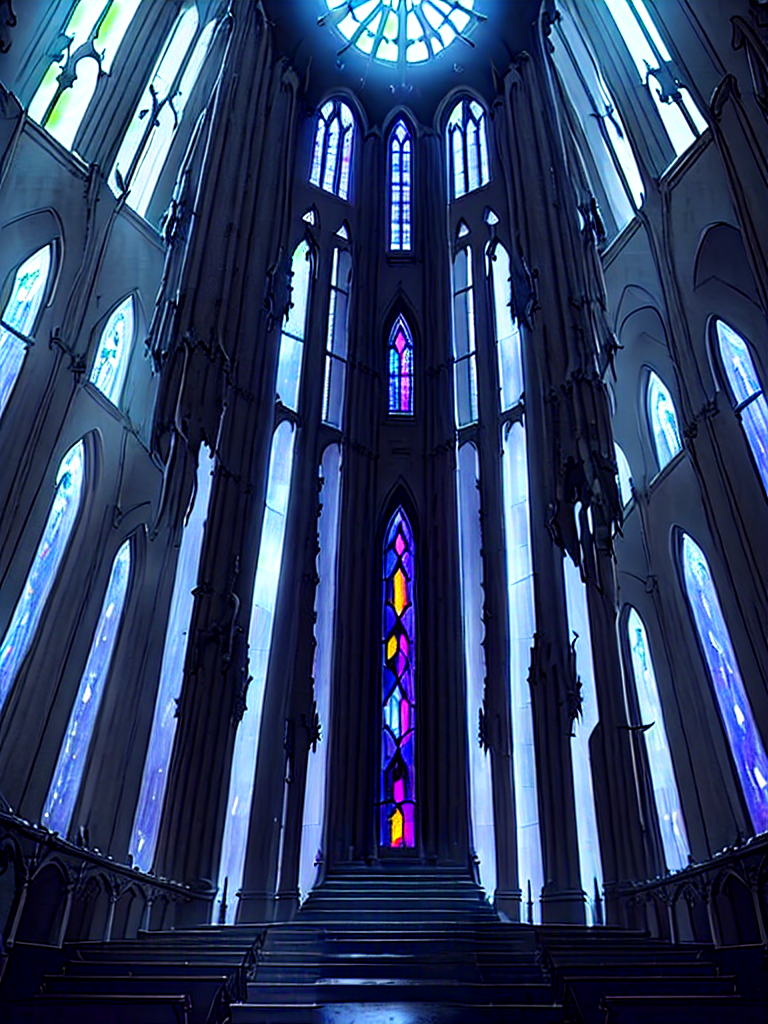
There is also an additional feature, called Metropolis Mode, which works in conjunction with World Builder. You can first generate a 3D city into a composition sketch, then render it into a painted background. This allows you to maintain structurally consistent backgrounds — very useful for vast, sweeping shots in giant, panoramic panels!
I have also built a parallax mode, and unlike the others, this one makes use of a background I drew by hand (image to the right). Regardless of whether the background is hand-drawn or generated by your harness via my MCP server, this feature allows you to start on your first step of video creation — perfect for marketing and advertising your webcomic series on YouTube and other media platforms!
Ideally, this workflow maintains what I envision to be human-AI teamwork. The human creatives remain in charge of characters, story and composition, while delegating the repetitive and tedious background work to the AI.
Under the hood: a Python MCP server wrapping a local ComfyUI + FLUX 3 Klein pipeline (INT8 weights, with composition sketches and registered locations passed in as reference images), running on my own GPU. No cloud, no per-image cost.
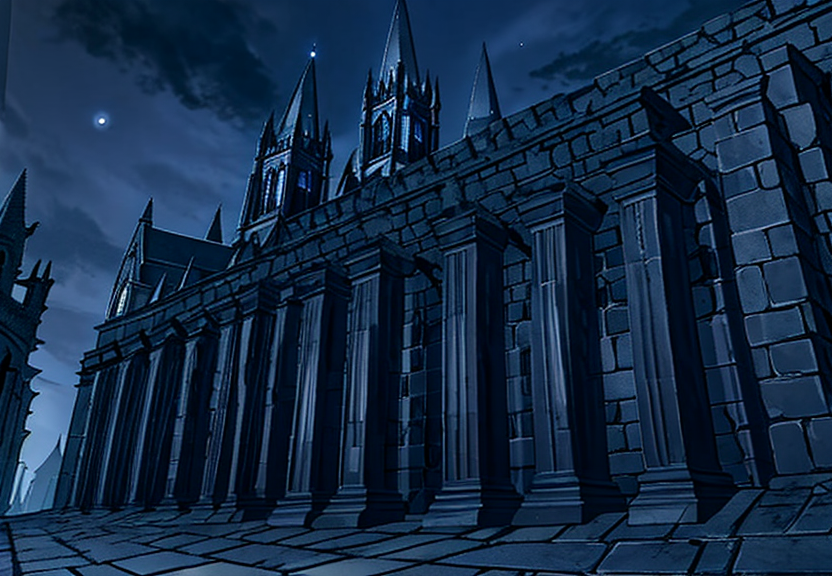
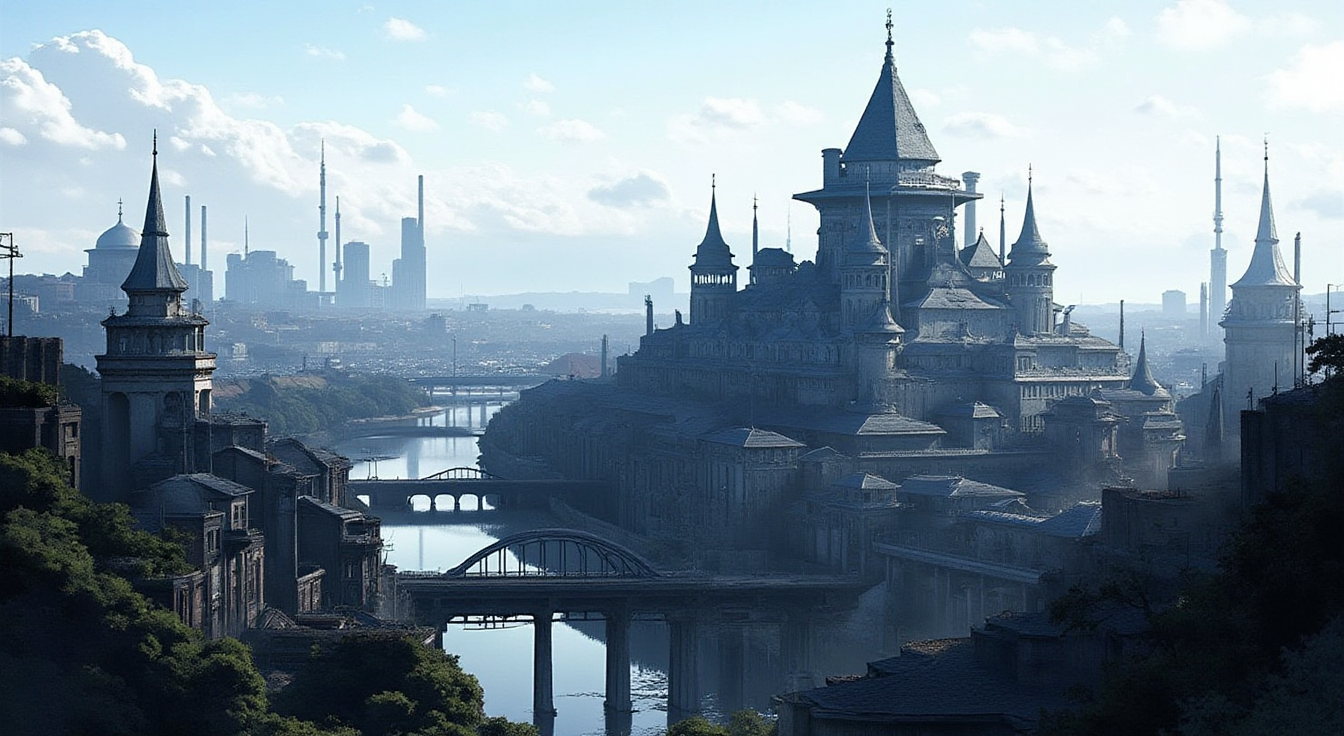
It actually works!
I tested it, and this MCP server is capable of generating backgrounds. It took me a while to
refine and get to a point where I'm finally satisfied with the outputs, which included searching
for the appropriate models and LoRAs. Everything in this gallery was rendered with FLUX.1-dev — the GGUF
unets for dev and Kontext, T5-XXL and CLIP-L, the FLUX VAE, ControlNet Union Pro 2.0, and a
manwha_style LoRA (plus the ComfyUI-GGUF custom node to load them) — before the
server moved to FLUX 3 Klein in v3.0.0. There's a side-by-side below. They aren't
flawless, obviously, which is evidence that human artists are still necessary to manage, polish,
and perfect the backgrounds. But for now, this demonstrates that the MCP server I built with Claude
Code actually works.
Take note, though, this is not meant to replace human artists. In a studio, you'll usually have members of a team in charge of backgrounds. Ideally, they draw the backgrounds that are used as assets and references for this MCP server to reproduce when deadlines are tight, to save time and be more efficient. And ideally, you'll want those same assistants to adjust the coloring (saturation, hue, etc.) and make changes where appropriate (angles, perspectives, details), rather than just stuffing them wholesale into a panel.
For one-man teams like me, perhaps we can't afford to do that, but obviously, I would prefer to work alongside human colleagues (who make good use of this MCP server I built) rather than rely solely on my background generator.
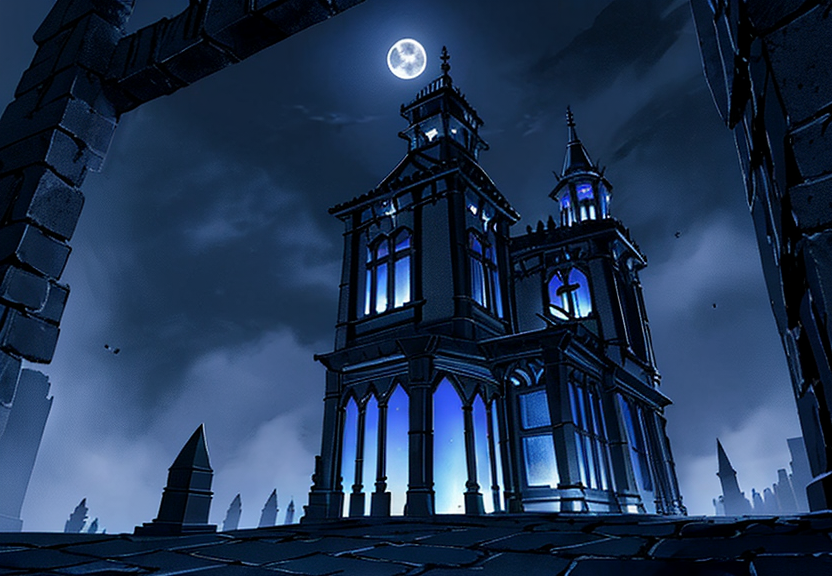


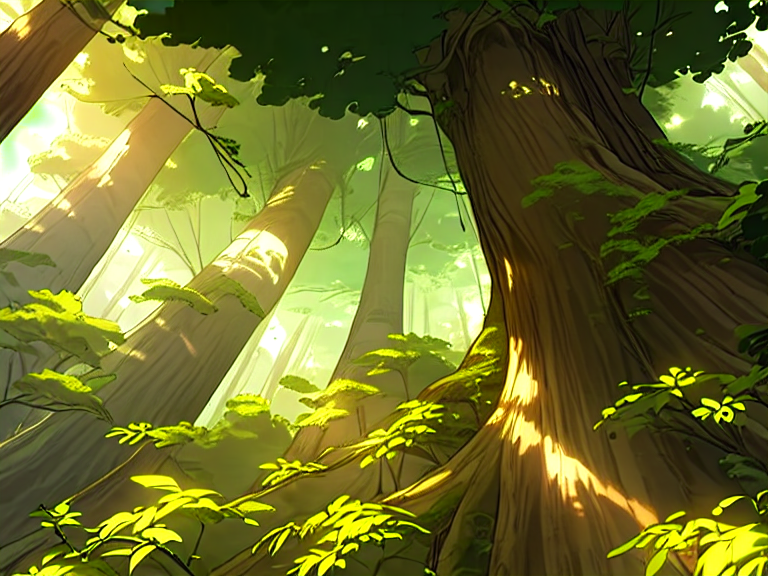

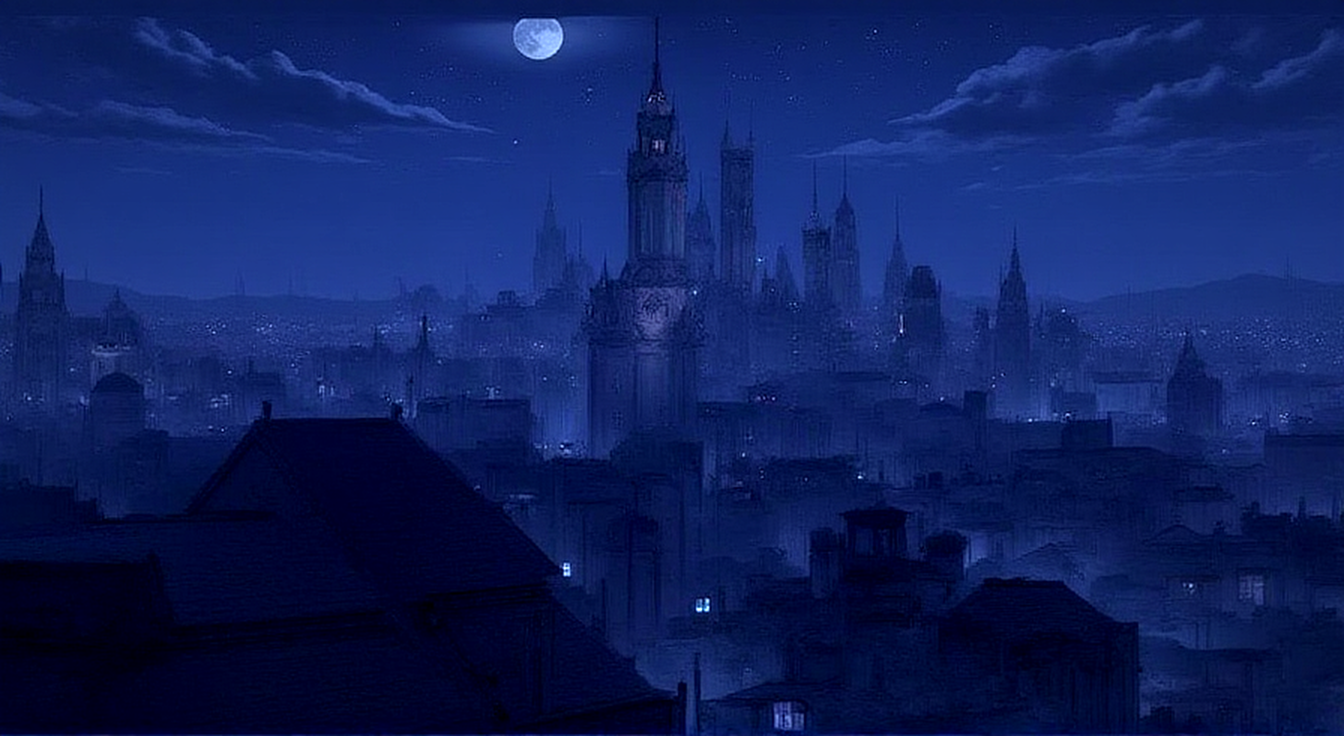
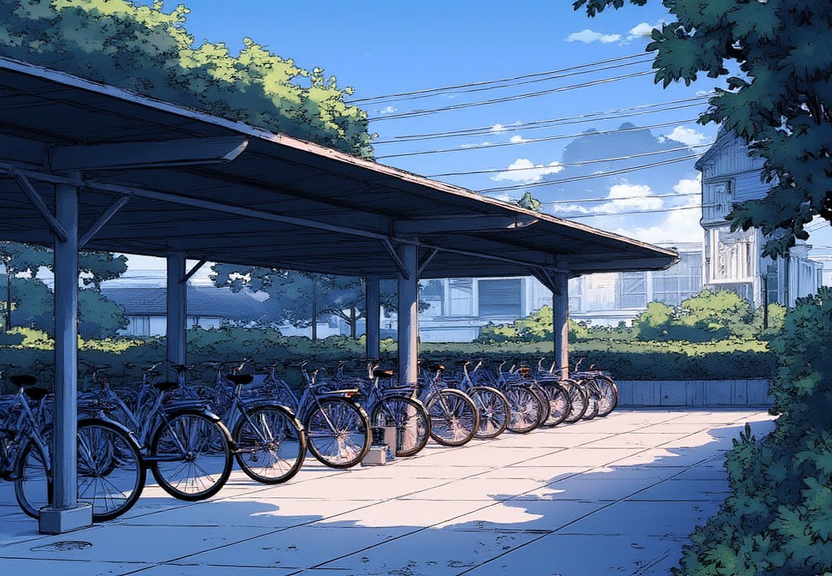
Same place, new model
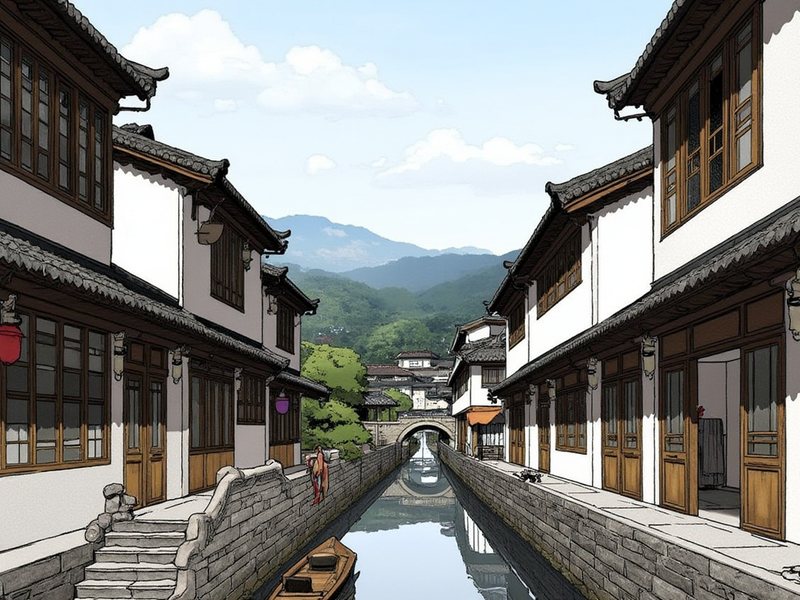
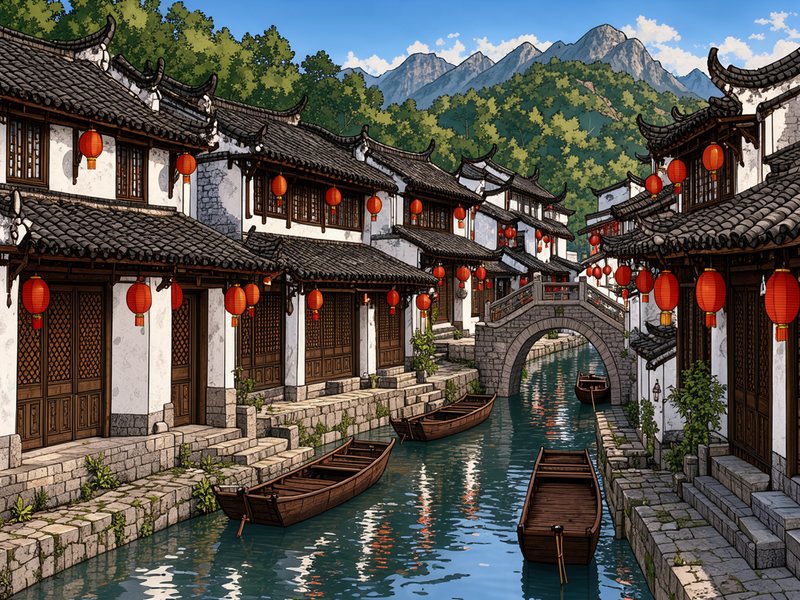
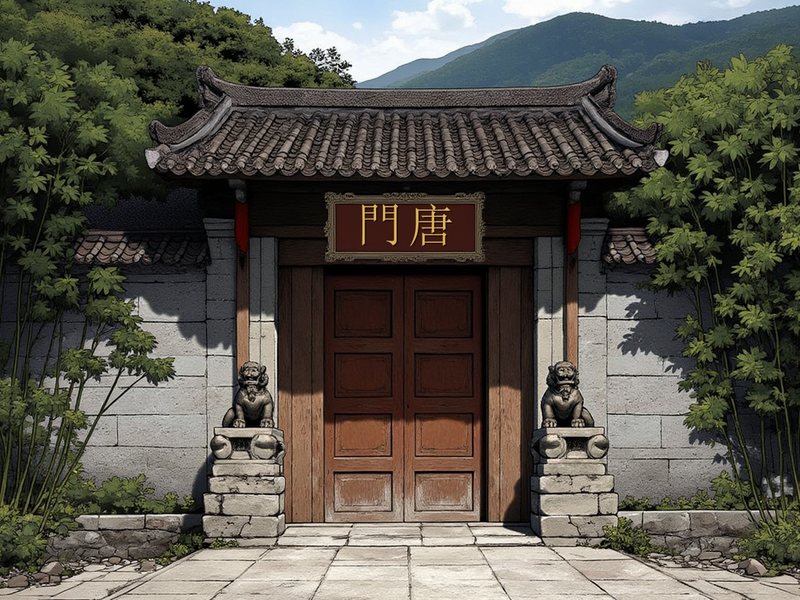
In v3.0.0 the server moved from FLUX.1-dev to FLUX 3 Klein — the model the Character & Panel Generator had just moved to, so plates and the figures composited over them now come from one model. Each pair below is the same registered location, rendered by each. Klein holds the inked, cel-shaded look without a style LoRA, lands a composition sketch where it was drawn, and renders a plate in about 15 seconds instead of about 225.

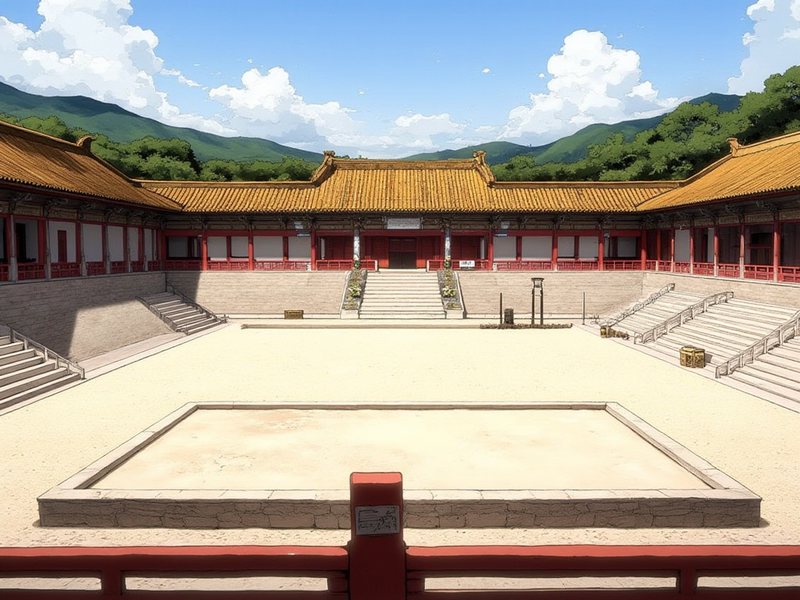

Here's a real use case: how I used it for my own webcomic
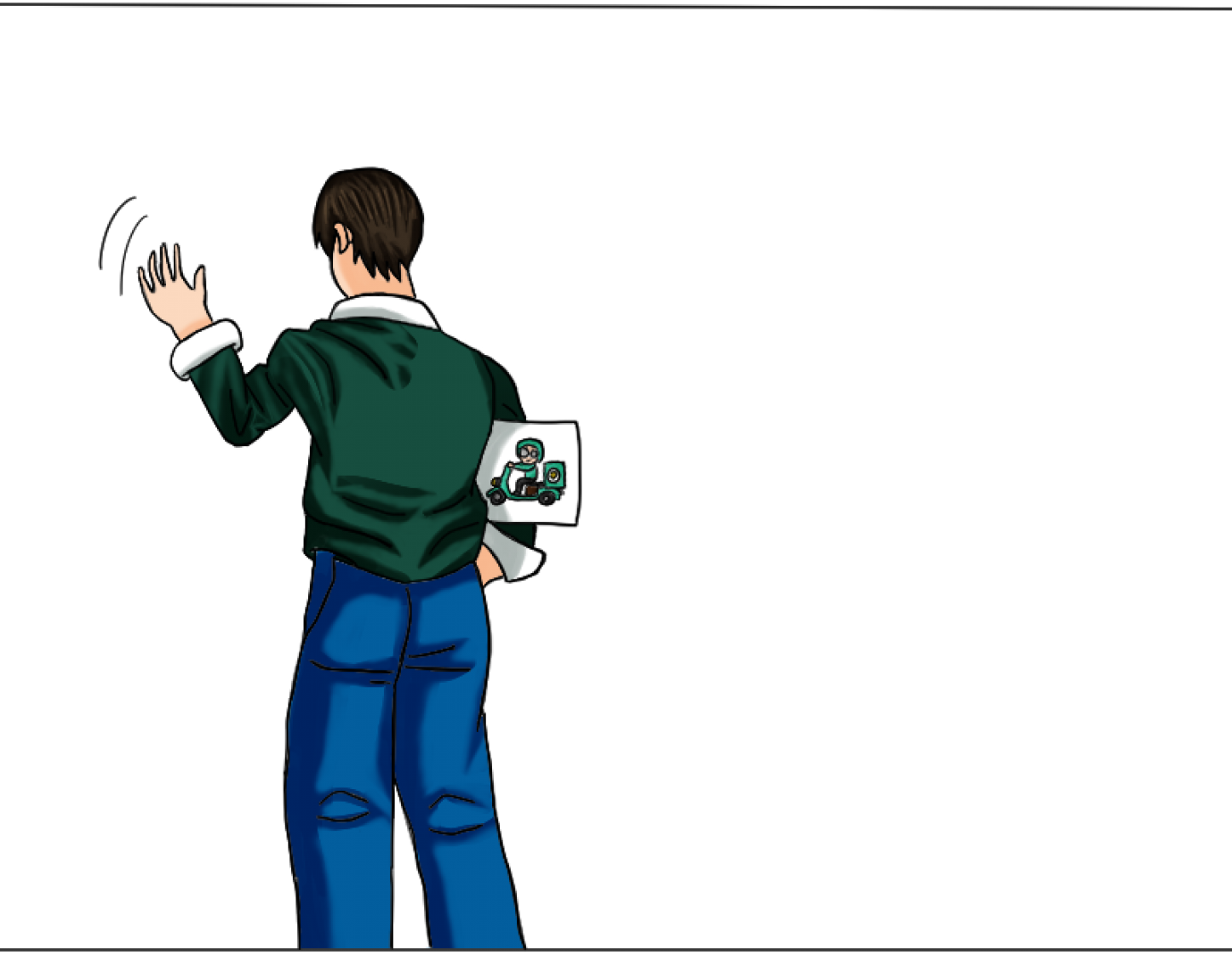
1. First, you draw a character and feed him to your AI harness. Ask your AI to take reference from whatever images you have curated for your backgrounds and worlds (normally, this would be in your references folder).
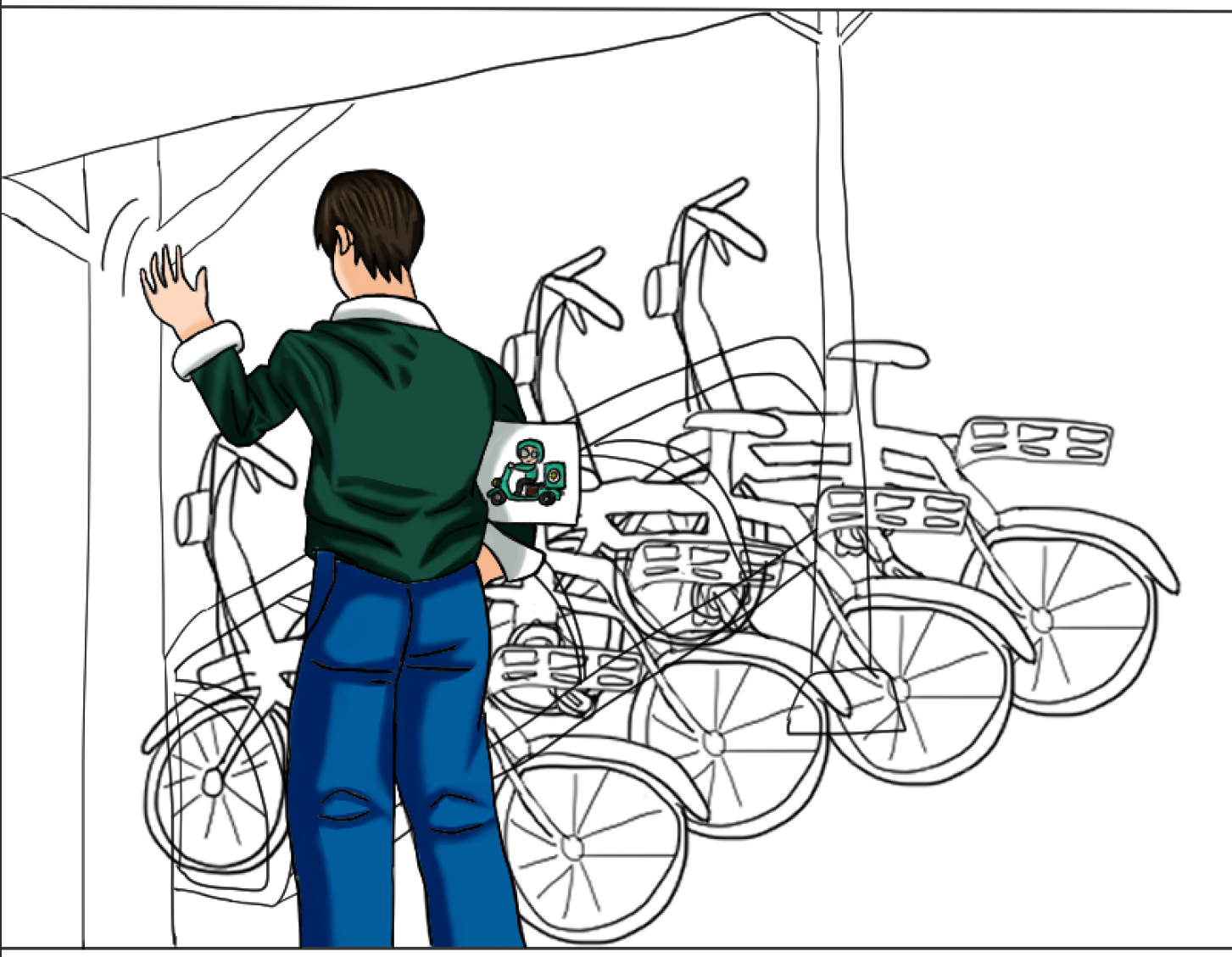
2. For better results, you can sketch the background too, to give your AI the perspective, angle and scale you want, so the background fits the character you've drawn.
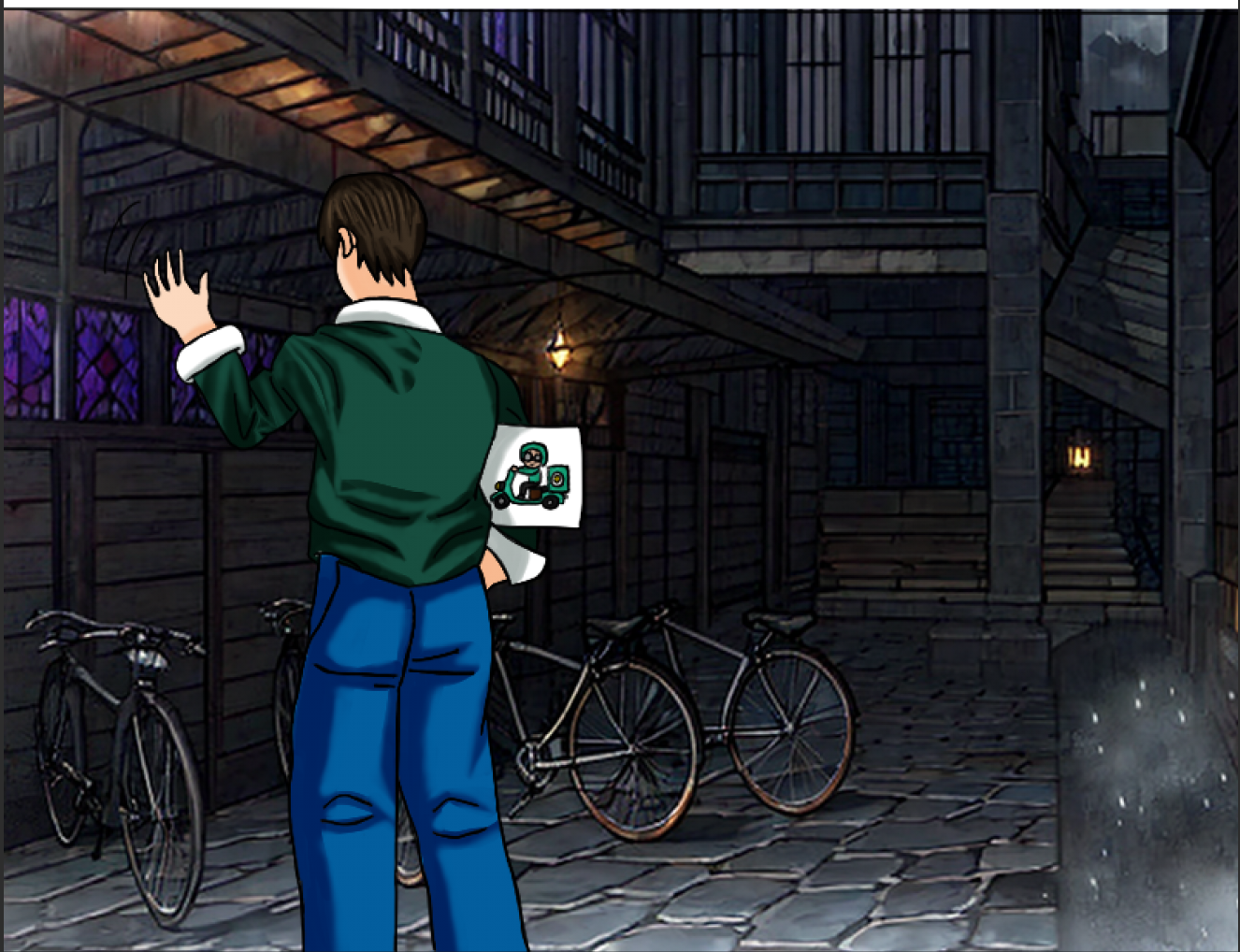
3. Composite the character onto the plate. If you don't use art software,
compose_panel does it for you — give it the character, the background, and where
the feet should land, and it places and scales the figure. If you do draw, you can instead open
the plate in your art program (I use Clip Studio Paint) and drop it in as a background layer,
which is what I do on my own pages.
Don't draw?
The three steps above all start from art I drew myself, but you don't have to. Generate the
character with the companion
Character & Panel Generator — or bring
commissioned art, or a character sheet you made in ChatGPT — generate the plate here, and
compose_panel puts them together. No art software required at any step. Worth knowing
up front: compose_panel lives in the character generator, so this route needs both
servers installed.
Stills, brought to life
Each clip below is a single finished illustration — no redrawing — given a subtle 2.5D camera drift by the parallax tool, then looped. These are what feed the promo-video pipeline for YouTube Shorts and trailers. (Muted and auto-looping.)
What's new
This tool has moved fast since launch — from a truer manhwa look, to cross-panel consistency, to persistent, growable 3D cities. The newest release is below; earlier ones live in the archive.
v3.0.0 FLUX 3 Klein — FLUX.1 removed
October 17, 2026
- 💥 Breaking — FLUX 3 Klein replaces FLUX.1-dev. FLUX.1 is removed, along with its manhwa LoRA, ControlNet and Kontext. An install with only the old stack will no longer render; re-run the setup steps to fetch Klein. The reason is the one that retired SD1.5 in v2.0.0: the character server moved to Klein first, and a plate from one model under figures from another reads as a composite.
- 🎨 Style from a sentence, not a LoRA. FLUX.1 LoRAs can't load in Klein — none of the style LoRA's 494 layers exist there. A plain style sentence held crisp inked cel shading even on the mountain-summit vista, the camera that used to pull FLUX.1 photoreal.
- ✏️ Composition sketches go in as a reference image, not through ControlNet. On a 3D row of bicycles, every bike and the bollard landed where the sketch drew them. Two wording traps were measured and fixed along the way: "render it as a finished scene" came back photoreal, and a sketch's black areas were drawn as an empty gray void until the prompt called them ground, walls and sky.
- 🗺️ Locations keep their look from a new camera. A registered place is now a reference image rather than an img2img seed, so it holds its features from an angle the canon plate never showed. img2img could only nudge the original framing.
- 🖌️
edit_backgroundchanges only its box. Klein redraws the whole frame, so only the masked region is pasted back. Largest measured change outside it: 0. Kontext never managed that — a mask ending in open sky always left a seam. - ⚡ About 15× faster. Roughly 15 seconds a plate on a 6 GB laptop GPU, 30–110 with a sketch or location, against about 225 for FLUX.1.
Earlier releases
v2.1.1 Location renders honor the requested size September 26, 2026
- 🔧 Fixed — a location render came back at the wrong size. Asked for 1024×768, it returned the canon plate's own size while the sampler was told 1024×768 — the two silently disagreed. The plate is now scaled to cover the requested frame and center-cropped, never stretched.
v2.1.0 Q6 weights, and a correction about what bit depth buys you August 10, 2026
- ⚠️ Changed — the default weights moved from
Q3_K_StoQ6_K, and the Q3 files were deleted. If you installed before this release, re-runsetup_models.py— an existing install pointing at the old files will fail on a missing model. - 🧪 Don't expect better plates from it. Q6 was adopted because bit depth measurably matters for repair: fixing a damaged hand with Kontext went from 0 of 6 usable frames at Q3 to 3 of 3 at Q6. (Corrected in October: "usable" overstated it — no machine repair of a hand ever shipped, and every one was finished by hand.) I assumed generation would improve the same way and it did not — measured at the same size, seed, prompt, LoRA and ControlNet, the output was identical. Quantisation error surfaces when the task is hard; rebuilding destroyed pixels is hard, generating from a good prompt has headroom. Plates you made at Q3 are fine and don't need regenerating.
- 🔧 Fixed —
edit_backgroundwould have failed outright. Only the generation path had been migrated; the edit path still loaded the deleted Q3 Kontext file. - 📄 Corrected — "Q3 so FLUX fits a 6 GB card" was wrong. ComfyUI streams weights from system RAM, so VRAM was never what limited the quantisation — disk was. The out-of-memory troubleshooting now points at width and height, which is what actually fills VRAM.
v2.0.0 FLUX only — Stable Diffusion removed August 1, 2026
- 💥 Breaking — Stable Diffusion 1.5 has been removed. FLUX.1-dev is now the only renderer. The reason is consistency across the toolkit: the companion character generator produces every figure with FLUX, and FLUX characters composited onto SD 1.5 backgrounds read as a composite — the two models handle light, edge and colour differently enough that the join shows. Keeping SD 1.5 as a "fallback" would have meant shipping a path whose main effect was mismatched art, so it's gone rather than deprecated. If VRAM is tight, use a smaller GGUF quantisation — but there is deliberately no lower-quality path.
- ♻️ Changed — the character workflow now matches the canvas instead of
inpainting. The old two-pass Stable Diffusion inpaint that painted a background
around a drawn character couldn't survive the switch, but the workflow it served
still works: pass
match_canvas_toyour character and the plate is sized to it, with the response reporting the exact height and feet numbers so the figure composites cleanly on top. If you want the figure generated as well, that's the character generator's job. - 🎚️ Added —
grade_plate. Mood is now a post-process, not a prompt. Asking the model for "grimdark" or "deep shadow" measurably dragged renders away from the manhwa look and into murky semi-realism; removing that wording made the same scene 2.5× brighter and properly cel-shaded. So: render clean, then grade a copy. Instant, deterministic, and the original is never touched. - 🖌️ Added —
edit_background. Edit a plate you've already approved with a plain-English instruction — "make it snowing, with snow settled on the seats and the ground" — instead of re-rolling a fresh render and hoping the seed cooperates. Composition and style survive the edit. - 🎨 Added —
extract_palette. Reads a reference image's dominant colours and returns them as usable prompt language ("deep red", "ash grey") rather than hex codes, so a reference library can actually drive colour.
v1.9.0 FLUX.1-dev, and mood as a post-process August 1, 2026
- ✨ Added — FLUX.1-dev as a second base model. FLUX renders object geometry far better than Stable Diffusion 1.5 — the deformed-bicycle problem that drove the previous release — at the cost of slower renders and looser composition control. Runs quantised to fit a 6 GB laptop GPU. (SD 1.5 was still selectable at this point; it was removed entirely in v2.0.0.)
- 🐛 Fixed — hand-drawn sketches were being doubled. Edge detection finds both sides of a pencil line, so every drawn stroke became two parallel guide lines and the model painted the doubled hairlines literally. Photos and 3D renders were never affected; hand-drawn input now takes a different path automatically.
v1.8.0 3D Prop Rendering July 18, 2026
- ✨ Added —
generate_prop_scene. Diffusion models are bad at repeated-object geometry — ask for a row of parked bicycles and you get fused wheels, phantom wheelchairs, or a "bicycle train" of clones. This gives objects the same fix Metropolis mode already gave buildings: real 3D meshes, a real camera, real occlusion — rendered headless to a composition sketch that the checkpoint only paints, never invents. - 🚲 First prop — a bicycle. A proper diamond frame, correct tire proportions, and a straight handlebar (a curved drop-bar kept reading as a second saddle). Place objects explicitly or generate a realistic parked row in one call.
v1.7.0 Niji V5 Style LoRA July 17, 2026
- ✨ Added — Niji V5 Style LoRA. An optional second aesthetic for stories wanting an East-Asian architectural flavor — pagodas, lanterns — a great fit for Reincarnator × Regressor.
v1.6.0 Character placement anchor July 17, 2026
- ✨ Added — character placement anchor. Place a human-scale marker anywhere in the 3D city, and the tool returns an occlusion-aware placement mask, plus the exact on-screen size and feet line for drawing the character in correct perspective.
v1.5.1 Parallax — stills into motion July 5, 2026
- ✨ Added —
make_depth.py. Generates a depth map from any illustration using Depth-Anything V2, run through the local ComfyUI backend. - ✨ Added —
parallax.py. Turns a still illustration into a subtle 2.5D camera-drift clip (MP4/GIF) from that depth map, with four motion presets — push, pan, drift, and lift. - 🎬 Why it matters. Finished panels become promo-video motion: the clips feed straight into the Remotion pipeline for YouTube Shorts and trailers. See them in motion in the parallax gallery on this page.
- 🩹 Fixed — browser-ready clips. Clips now encode as H.264
(yuv420p, faststart) via
imageio-ffmpeg— no system ffmpeg install needed.
v1.4.0 Persistent, growable city plans July 3, 2026
- ✨ Added — persistent city plans. Each comic project now owns a growable 3D
city, stored as an editable
city_plan.json. Start with a single neighborhood and grow it into a full metropolis over the course of your story. - 🧱 Districts that never drift. Add districts as your story visits them (slums, docks, heights); every established district always re-renders identically, so appending new areas never disturbs what's already canon — the "Word document" mechanic, structurally guaranteed.
- 🧰 New tools —
add_city_district&list_city. Bolt on districts and inspect the plan. Plan-mode rendering (generate_city_scene(use_plan=True, focus="…")) re-aims any camera preset at any district of the persistent city. - 🌙 Rendered from a persistent, incrementally-grown 3-district city.
v1.3.0 Metropolis mode July 2, 2026
- ✨ Added —
generate_city_scene("Metropolis mode"). A procedurally generated, seeded 3D gothic city is rendered headlessly — via a small software rasterizer, no browser or 3D engine — into a composition sketch, then painted by the generator. The same city seed re-renders from any camera angle, so you get structurally consistent giant establishing panels of the same metropolis. - ✨ Added — per-call LoRA & a hi-res finishing pass. New
lora/lora_strengtharguments let you swap style per call, and ahirespass (1.5× upscale + light re-detail) sharpens soft, dense-architecture panels. - ♻️ Changed — manhwa recipe baked into city scenes. City renders now use the tuned recipe (manhwa LoRA + ControlNet 0.6 + webtoon prompt language), fixing the flat "comic book" look.
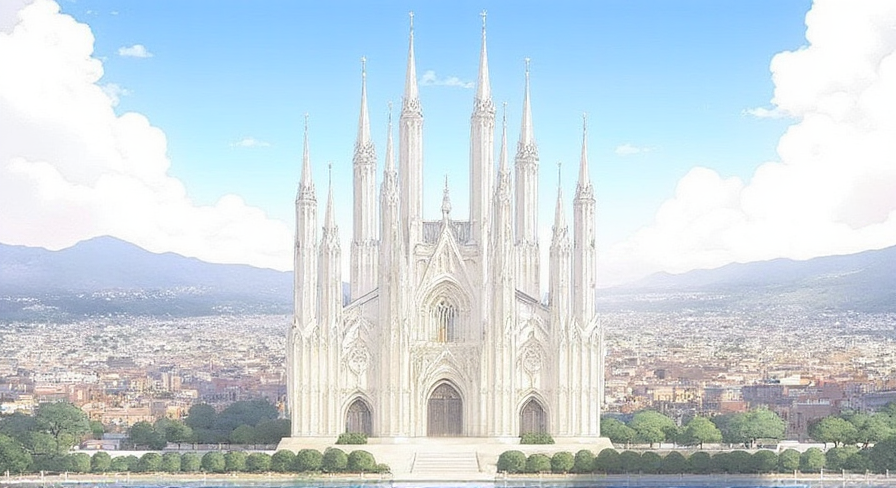
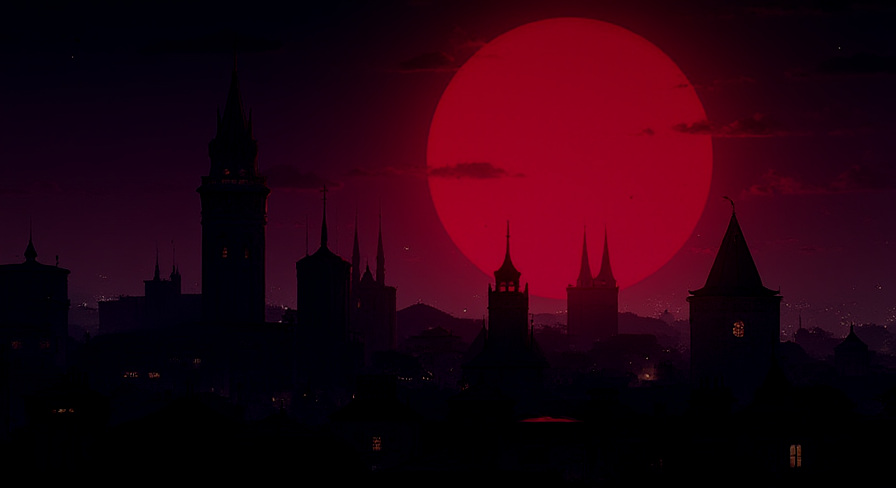
- 🖼️ See it above. The three newest carousel images come from this pipeline — and the daylight cathedral and blood-moon skyline are the same 3D city, recoloured with palettes derived from different reference images.
v1.2.0 Multi-project support June 28, 2026
- ✨ Added — run multiple comics from one server. A new
projectargument ongenerate_background,register_location, andlist_worldnamespaces each comic's World Builder canon and output folder — so the same location id (e.g.academy) in two different comics no longer collides. - 🗂️ Per-project storage. Canon is saved to
world/<project>/and renders tooutput/<project>/. Your shared sketch library (references/) stays common across projects, not namespaced. - 🧰 Added —
list_projectstool. See every comic the server knows about. The default project is set viaWEBCOMIC_BG_PROJECT(or"default"). - 🎬 Why it matters. Run two comics — say A Starry Knight and Reincarnator × Regressor — from a single server, each with its own consistent world.
v1.1.1 World Builder tuning & fixes June 27, 2026
- 🎚️ Tuned — World Builder consistency. Default
location_denoiseraised to0.65(from0.55), validated by a 0.35–0.75 sweep: lower values hug the canon for a relight, the mid-band shifts lighting or time of day, and0.65gives a fresh angle with richer variation while staying on-location. - 🛠️ Fixed — same-seed overwrites. Outputs sharing a seed no longer overwrite each other; files are now numerically suffixed.
- 🛠️ Fixed — stray figures in World Builder mode. A figure-suppression negative is now applied automatically when a location is used, so img2img no longer drops an uninvited character into the scene.
v1.1.0 World Builder & model-native aesthetic June 25, 2026
- ✨ Added — World Builder. Register an approved background as canon for a location; future panels of that place are generated against the saved image so your setting stays consistent as it accumulates, one location at a time.
- ✨ Added — selectable render models. Pick
solstice(Korean manhwa),counterfeit(clean anime), ordreamshaper(soft painterly) per scene, with an optional manhwa LoRA on top. - ♻️ Changed — model-native aesthetic. Removed the IP-Adapter style reference; a checkpoint trained on the target look renders the manhwa style more cleanly, with the palette steered through the prompt.
- ♻️ Changed — true background plates. The character workflow is now a two-pass inpaint that returns the scene with the character absent — a clean layer to draw over.
- 🛠️ Added — helper tooling. Auto-launch of the ComfyUI backend, a one-command model installer, and a figure-removal utility for cleaning stray characters from a plate.
- 🗺️ Roadmap. Tuning the World Builder consistency controls against real panels, and a depth-map pass for subtle parallax. (The previously-planned 3D Blender tool was dropped — World Builder delivers the consistency it promised without hand-building a 3D city.)
Why wouldn't I just use a LoRA or AI image generator?
You can, but an MCP server comes with advantages that an AI image generator or LoRA doesn't.
In the first place, my MCP server comes with instructions in the README to install the whole FLUX
stack and a manwha_style LoRA for that coveted manhwa/webtoon aesthetic, so you're
getting an additional layer on top of that.
So, what are the benefits of this additional layer?
- An improved workflow. If you're using an AI image generator, you have to context-switch, whether it's opening a browser, typing a prompt, downloading or importing the generated image. Even if you have a saved session, a long-term project will stretch the context limits of that chat. However, an MCP server allows you to do everything within your AI harness (Claude Code, Codex, Antigravity). You can hop in anytime, have the flexibility to backtrack mid-conversation, and even have your file consistently saved in the right folder.
- Your context will always be saved. Most of the time, an AI image generator starts from scratch every session, and you'll have to iterate your prompts and reinstruct the LoRA on what image you want. Your AI harness — connected to the MCP server, which ensures a consistent configuration — already has all that memorized, down to your prompts and habits, and knows what you want, thus reducing the number of iterations required. Furthermore, this minimizes any drift or hallucination.
- The character-first workflow. My MCP server is unique in that I have a personalized pipeline where I hand him my drawn character, and the plate comes back sized to that character's scale and perspective — with the exact height and feet numbers reported back, so it composites cleanly. Essentially, I packaged character-first generation into a single command, designed to relieve some of the burden from webtoon studio teams and solo webcomic artists. Particularly the latter. It also emphasizes my philosophy — AI as a partner, not replacement. I need to do the work and draw my characters first, for the background to be generated around them. And if you want the figures generated too, that's what the Character & Panel Generator is for — the two servers are built to meet at exactly this seam.
- A consistent and reproducible background. If you like a result and want a variation, that image is saved. Furthermore, I added a World Builder mode. What this means is that if you've decided on a background that you like, you can save it, and the MCP server will register it as the source of truth and generate future panels of that place based on that. I set it as an incremental process — start small, perhaps with a room or single house, and slowly add more locations. Enough to fill a neighborhood. Then a district. Then eventually a full city. Plus, I've added a new feature — Metropolis Mode — that builds an entire city as a 3D model behind the scenes, then renders it into consistent backgrounds from any angle. Now Metropolis Mode and World Builder work hand in hand to bring that 3D landscape to life in your comic panels! Just as your story grows, so does your world — and what better tool to build your world than with my MCP server?
- The images are free. No credits, no subscription, no API costs. Everything runs on your own GPU.
- Ongoing refinements and customization. I will be constantly improving and refining this MCP server. One of the things I have planned on the horizon is a depth-map pass for subtle parallax, though I first need to tune the World Builder to be consistent for real panels. I originally planned a 3D Blender tool to build a story world, having envisioned one like Tingen City from The Lord of Mysteries. Initially, this took the form of World Builder, but when Fable 5 was finally released to the public, I used the opportunity to bring that vision to life. It might not be perfect, but the results are impressive, considering this is a one-man plus AI show, done without the full team and budget of a professional studio. Fable 5 also helped me expand on the World Builder to make 3D modeling and 2D comic artwork a reality! Furthermore, you're not restricted to using an MCP server I created. After downloading it, it becomes your own, and you can ask your AI harness to customize the tools and functions within to whatever suits you more — whether it's swapping the LoRA for one trained on more realistic images, or personal tweaks for your workflow.
If you're still not convinced, that's totally fine. I understand that my background is shady… eh?
MCP server instructions
Now, this isn't limited for my use alone. If you want to make use of it, you can too! But how,
you ask? Well, first of all, you can ask your AI harness, be it Claude Code, Codex or Google
Antigravity to clone the webcomic-toolkit repository, go into the
webcomic-background-mcp
folder, then follow the steps in its README to install. It'll set it up all for you!
You can tell your harness to adjust. This is for all webcomic artists, not just Warhammer 40,000 fans. So if you would like, say, medieval fantasy, curate a set of anime aesthetic medieval fantasy art from your favorite references, and store them accordingly. Draw your character and feed him/her to your harness so that they can plan around the perspectives, angles and scale that are appropriate for your characters. Then get your harness to generate whatever backgrounds you need!
I hope this will help webcomic artists tremendously, especially those who are understaffed and rushing deadlines. Now set forth, focus on storytelling and bringing your characters to life, and leave the background work to… well, the background generator!
View the code on GitHub →